
Skip to product information
1 of 2

chillaxsim

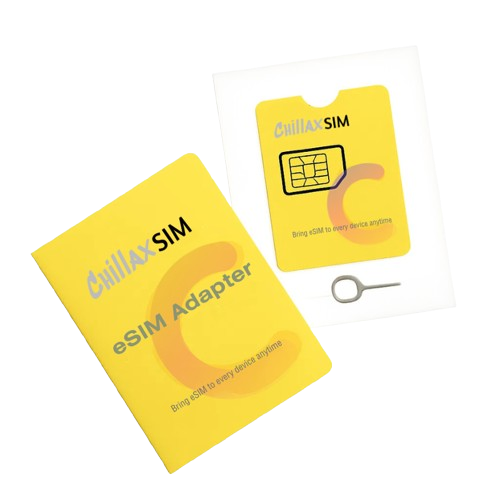
Chillaxsim eSIM Adapter - Enable eSIM on Non eSIM Compatible Phone

Chillaxsim eSIM Adapter - Enable eSIM on Non eSIM Compatible Phone

Regular price $16.00 SGD
Regular price $35.00 SGD Sale price $16.00 SGD
Sale Sold out
Taxes included. Shipping calculated at checkout.

In stock

  • Customer service via email :service@chillaxsim.com or Whatsapp: +19284941284

Is my smartphone supported?

download easyeuicc apk

Download the easyEUICC apk to run the “compatibility check”.

easyEUICC apk

Transparent Open Source & Secure apk


Click here to view the full supported device list

Ready for eSIM?

Network Unlocked: Ensure your phone is not carrier-locked.
Android Compatibility: Scan the QR code to verify if your device supports the EasyEUICC management app.
iOS Support: Works on unlocked iPhones. Note: Profile setup/switching requires an Android device first.

Store 40 Profiles

Save up to 40 data plans with 400K capacity. Switch easily without deleting existing ones. Add, remove, and re-download eSIM profiles as many times as you need.

Universal Bridge

Enable eSIM on devices that don't support it natively.

Android: Manage & Use
iOS: Plug & Play

Private & Secure

Manage all your eSIM profiles with the open-source EasyEUICC apk. Enjoy complete data privacy with offline storage—no logins, no cloud sync.

No Provider Lock-in

Works with standard eSIM providers like Airalo and Holafly. Choose freely.

View full details
  • Step 1: Insert the Card

    Just insert the Chillaxsim Card into the SIM card slot. Reboot your device if needed.

  • Step 2: Download EasyEUICC Apk

  • Step 3: Download eSIM Profiles

    Once registration is complete, you can start downloading eSIM profiles.
❓ Frequently Asked Questions about the eSIM Adapter

Q1: What is an eSIM Adapter?

A: An eSIM Adapter is a small device that allows smartphones or tablets without built-in eSIM support to use digital eSIM profiles. It acts as a bridge between your phone and the eSIM server, enabling you to install and use eSIM plans like a compatible phone would.

Q2: Which devices are compatible with this adapter?

A: The eSIM Adapter works with most modern unlocked Android phones that have a USB-C port and support our companion app. Below are the confirmed compatible models:


Compatible Brands & Models:
Samsung: Galaxy S22 / S21 / S20, Note 20 / 10, Z Fold / Flip, A73 / A53 / A33
Google
: Pixel 7 / 6 / 5 / 4a
OnePlus: 10 / 9 / 8 / 7 series
Xiaomi: Mi 11 / 10, Redmi Note series (most models)
OPPO: Find X3 / X5, Reno 8 / 7 series
Vivo: X80 / iQOO series
Nothing: Phone (1), Phone (2)
Realme: GT, 11 / 10 / 9 series
Sony: Xperia 1 IV / 5 IV


⚠️ Not Compatible With:
Locked phones – Carrier-locked devices may block eSIM installation
Huawei (some models) – Limited or no compatibility on HarmonyOS
Older Android phones without USB-C port


iOS does not support our eSIM Adapter app. While you can use the adapter to manage already installed eSIMs, you cannot download or delete eSIM profiles from iOS devices.

Q3: Does it support multiple eSIM profiles?

A: Yes! You can store and switch between up to 40 eSIM profiles using the companion app. Great for frequent travelers or users managing multiple data plans.

Q4: Can I use this adapter with eSIMs from other providers (like Airalo, Holafly, etc.)?

A:Yes! The eSIM Adapter is fully compatible with most eSIM providers worldwide. However, some eSIM providers do not allow their eSIM to work via third party eSIM adapter, like redbull mobile, gigsky. So if you'd like to use certain eSIM provider, please check with them if their esim can work via third party eSIM adapter.

Q5: Why is my phone not detecting the eSIM Adapter after insertion?

A: If your phone doesn't recognize the adapter, please try the following steps:

1. Insert the ChillaxSIM eSIM Card into SIM Slot 1 (if your device has dual SIM slots).


2. Ensure the adapter is firmly and fully inserted into the SIM tray.


3. Restart your phone after insertion to help the system detect the hardware.


4. On some Android models, toggle Airplane Mode ON then OFF, or go to Settings > Network > Refresh Network.

Still not working? Our 24/7 support team is ready to help — just reach out!